Welcome to FilterMate
FilterMate is a production-ready QGIS plugin that provides advanced filtering and export capabilities for vector data - works with ANY data source!
🎉 What's New in v2.3.7 - Project Change Stability Enhancement
Enhanced Project Change Handling
- 🛡️ Complete Rewrite of
_handle_project_change()- Forces cleanup of previous project state - 🗑️ Full State Reset - Clears
PROJECT_LAYERS, add_layers queue, and all state flags - 🔗 Dockwidget Sync - Resets layer references to prevent stale data access
New cleared Signal Handler
- 📢
_handle_project_cleared()Method - Proper cleanup on project close/clear - 🔌 Connected to
QgsProject.instance().cleared- Handles new project and project close events - 🛡️ State Reset - Ensures plugin state is properly reset when project changes
F5 Shortcut: Force Reload Layers
- ⌨️ Press F5 in dockwidget to force complete layer reload
- 🔄 Manual Recovery when automatic project change detection fails
- 📊 Status Indicator shows reload in progress ("⟳")
Bug Fixes
- 🐛 Fixed Project Change Not Reloading Layers - Root cause identified and fixed
- 🐛 Fixed Signal Timing Issue - QGIS emits
layersAddedBEFOREprojectReadhandler completes - 🔧 Now manually triggers
add_layersafter cleanup instead of waiting for missed signal
Previous Updates
v2.3.6 - Project & Layer Loading Stability (December 18, 2025)
- 🛡️ Centralized Timing Constants -
STABILITY_CONSTANTSdict - ⏱️ Timestamp-Tracked Flags - Auto-reset after 30 seconds
- ✅ Layer Validation -
_is_layer_valid()checks C++ object validity - 🔄 Signal Debouncing - Graceful handling of rapid signals
v2.3.5 - Code Quality & Configuration v2.0 (December 17, 2025)
- 🛠️ Centralized Feedback System - Unified message bar notifications (
show_info/warning/error/success) - ⚡ PostgreSQL Init Optimization - 5-50× faster layer loading with connection caching
- ⚙️ Configuration v2.0 - Integrated metadata structure with auto-migration
- 🔒 Forced Backend Respect - User choice strictly enforced (no fallback to OGR)
- 🐛 Bug Fixes - Fixed syntax errors and bare except clauses
- 🧹 Code Quality - Score improved to 8.9/10
v2.3.4 - PostgreSQL 2-Part Table Reference Fix (December 16, 2025)
- 🐛 CRITICAL: Fixed PostgreSQL 2-part table references - Spatial filtering now works correctly with tables using
"table"."geom"format - ✨ Smart display field selection - New layers auto-select the best descriptive field (name, label, titre, etc.)
- 🛠️ Automatic PostgreSQL ANALYZE - Query planner now gets proper statistics before spatial queries
Why FilterMate?
- 🚀 Fast: Optimized backends for PostgreSQL, Spatialite, and OGR
- 🎯 Precise: Advanced spatial predicates and buffer operations
- 💾 Export Ready: Multiple formats (GeoPackage, Shapefile, GeoJSON, PostGIS)
- 📜 History: Full undo/redo with filter history tracking
- 🎨 Beautiful: WCAG-compliant UI with theme support
- 🔧 Flexible: Works with any vector data source
Quick Start
- Install: Open QGIS → Plugins → Manage and Install Plugins → Search "FilterMate"
- Open: Click the FilterMate icon in the toolbar
- Filter: Select a layer, write an expression, click Apply
- Export: Choose format and export your filtered data
⚡ Try FilterMate in 3 Minutes
New to FilterMate? Start with a quick task to see it in action immediately:
🔍 Task 1: Filter by Attribute
Time: 2 minutes | Difficulty: ⭐
Goal: Show only large cities
Filter expression: "population" > 100000
📐 Task 2: Geometric Filter
Time: 3 minutes | Difficulty: ⭐
Goal: Find buildings near roads
Use spatial predicates with 200m buffer
💾 Task 3: Export Filtered Data
Time: 2 minutes | Difficulty: ⭐
Goal: Save filtered features to GeoPackage
Choose format and CRS, click Export
Don't have data to test? Download our sample dataset (Paris 10th - 5 MB) with pre-configured QGIS project.
💡 Popular Use Cases
Explore what you can achieve with FilterMate:
🏙️ Urban Planning
Find properties within walking distance of transit stations
Combine buffer operations with attribute filtering for transit-oriented development analysis.
🏠 Real Estate Analysis
Filter homes by price, size, and school proximity
Multi-criteria filtering for investment opportunities and market analysis.
🌳 Environmental Protection
Identify industrial sites in protected zones
Geometric filtering to assess regulatory compliance and environmental impact.
🚒 Emergency Services
Analyze service coverage areas
Distance calculations to identify underserved areas.
Key Features
Advanced Filtering
- Attribute filtering with QGIS expressions
- Geometric filtering (intersects, contains, within, etc.)
- Buffer operations with automatic CRS conversion
- Multi-layer support
Multiple Backends
- PostgreSQL: Best for large datasets (
>50kfeatures) - 10-50× faster - Spatialite: Good for medium datasets (
<50kfeatures) - OGR: Universal compatibility (Shapefiles, GeoPackage, etc.)
FilterMate automatically chooses the best backend for your data source - no configuration needed! Learn more in the Backend Selection Guide.
Export Capabilities
- Multiple formats: GPKG, SHP, GeoJSON, KML, CSV, PostGIS
- CRS transformation on export
- Style export (QML, SLD, ArcGIS)
- Batch export and ZIP compression
Prerequisites
Before using FilterMate:
- ✅ QGIS 3.x installed (any version)
- ✅ Vector layer loaded in your project
- ⚡ Optional: Install
psycopg2for PostgreSQL support (recommended for large datasets)
Learning Path
New to FilterMate? Follow this path:
- Installation - Install the plugin and optional dependencies
- Quick Start - 5-minute tutorial
- Your First Filter - Complete step-by-step example
- Interface Overview - Understand the UI
- Filtering Basics - Master filtering techniques
Getting Help
- 📖 Documentation: Browse the User Guide
- 🐛 Issues: Report bugs on GitHub Issues
- 💬 Discussions: Join GitHub Discussions
- 🎥 Video: Watch our YouTube tutorial
Documentation Sections
- Getting Started - Tutorials and quick start guides
- User Guide - Complete feature documentation
- Backends - Understanding data source backends
- Advanced - Configuration and performance tuning
- Developer Guide - Contributing and development
v2.2.0 & Earlier
- ✅ Complete Multi-Backend - PostgreSQL, Spatialite, and OGR implementations
- ✅ Dynamic UI - Adaptive interface that adjusts to screen resolution
- ✅ Robust Error Handling - Automatic geometry repair and retry mechanisms
- ✅ Theme Synchronization - Matches QGIS interface theme automatically
- ✅ Performance Optimized - 2.5× faster with intelligent query ordering
Key Features
- 🔍 Intuitive search for entities in any layer
- 📐 Geometric filtering with spatial predicates and buffer support
- 🎨 Layer-specific widgets - Configure and save settings per layer
- 📤 Smart export with customizable options
- 🌍 Automatic CRS reprojection on the fly
- 📝 Filter history - Easy undo/redo for all operations
- 🚀 Performance warnings - Intelligent recommendations for large datasets
- 🎨 Adaptive UI - Dynamic dimensions based on screen resolution
- 🌓 Theme support - Automatic synchronization with QGIS theme
Quick Links
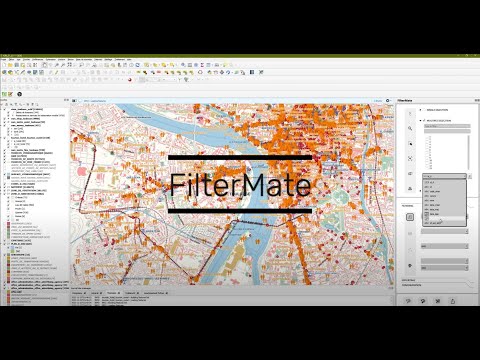
Video Demo
Watch FilterMate in action:
Get Started
Ready to start? Head over to the Installation Guide to set up FilterMate in your QGIS environment.